April 2026 Release Notes
Last updated: April 4, 2026
We've shipped a lot of great improvements in the last few weeks. Here are a few highlights.
Unified AI measurement baseline
We migrated the AI Impact and General Metrics pages to our v4 analytics engine. The practical effect: every chart, card, and calculation now uses the same atomic unit of measurement. If you noticed subtle discrepancies between views before, those should be gone. Numbers reconcile cleanly across individuals, teams, and time periods. We've optimized around Lines of Code based on many customer requests, but this flows up to commits and PRs, so you can easily see the delta between AI and non-AI PRs, for example. We're planning on giving more control of these atomic units to our enterprise customers for customization.
Better PR classification
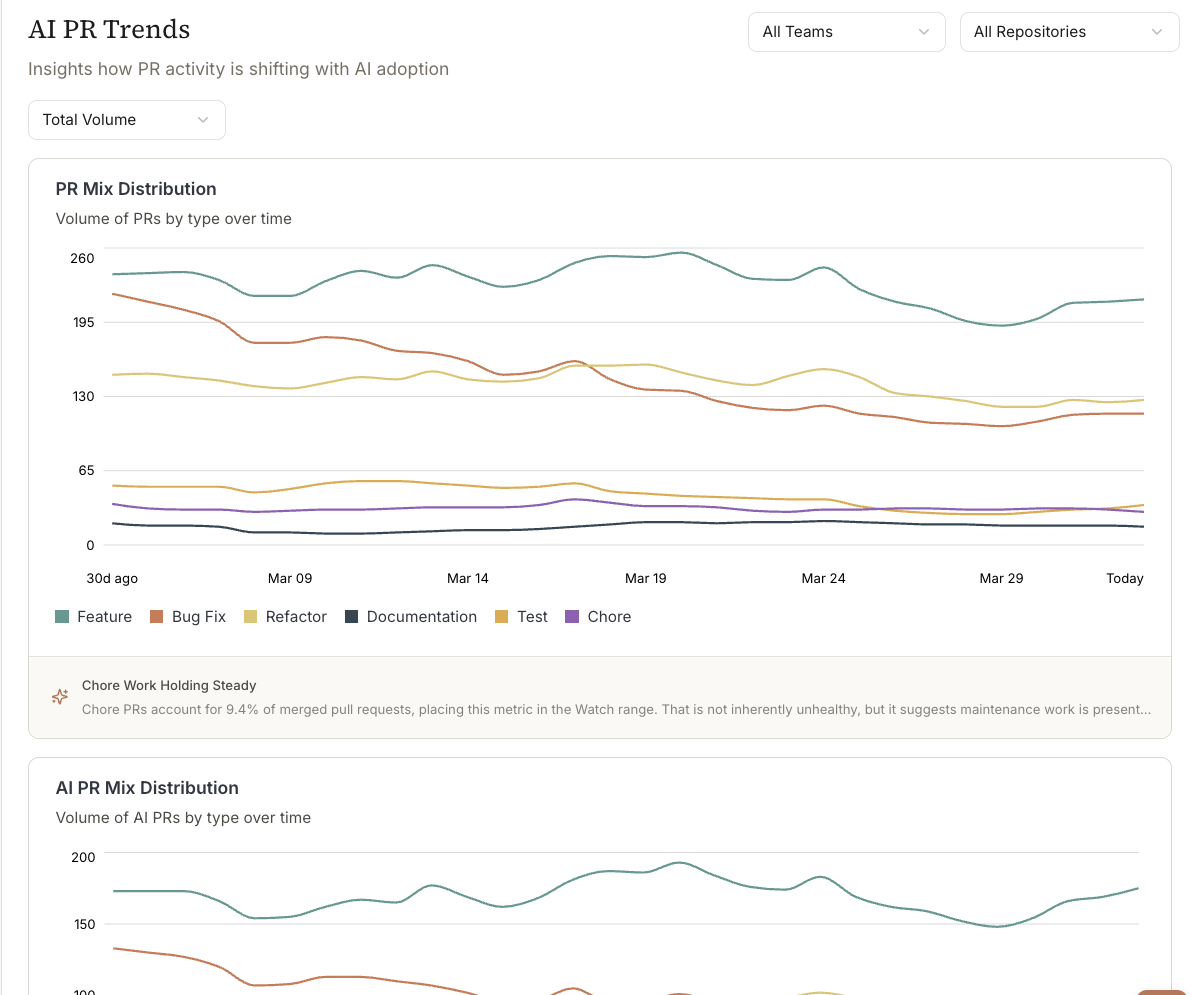
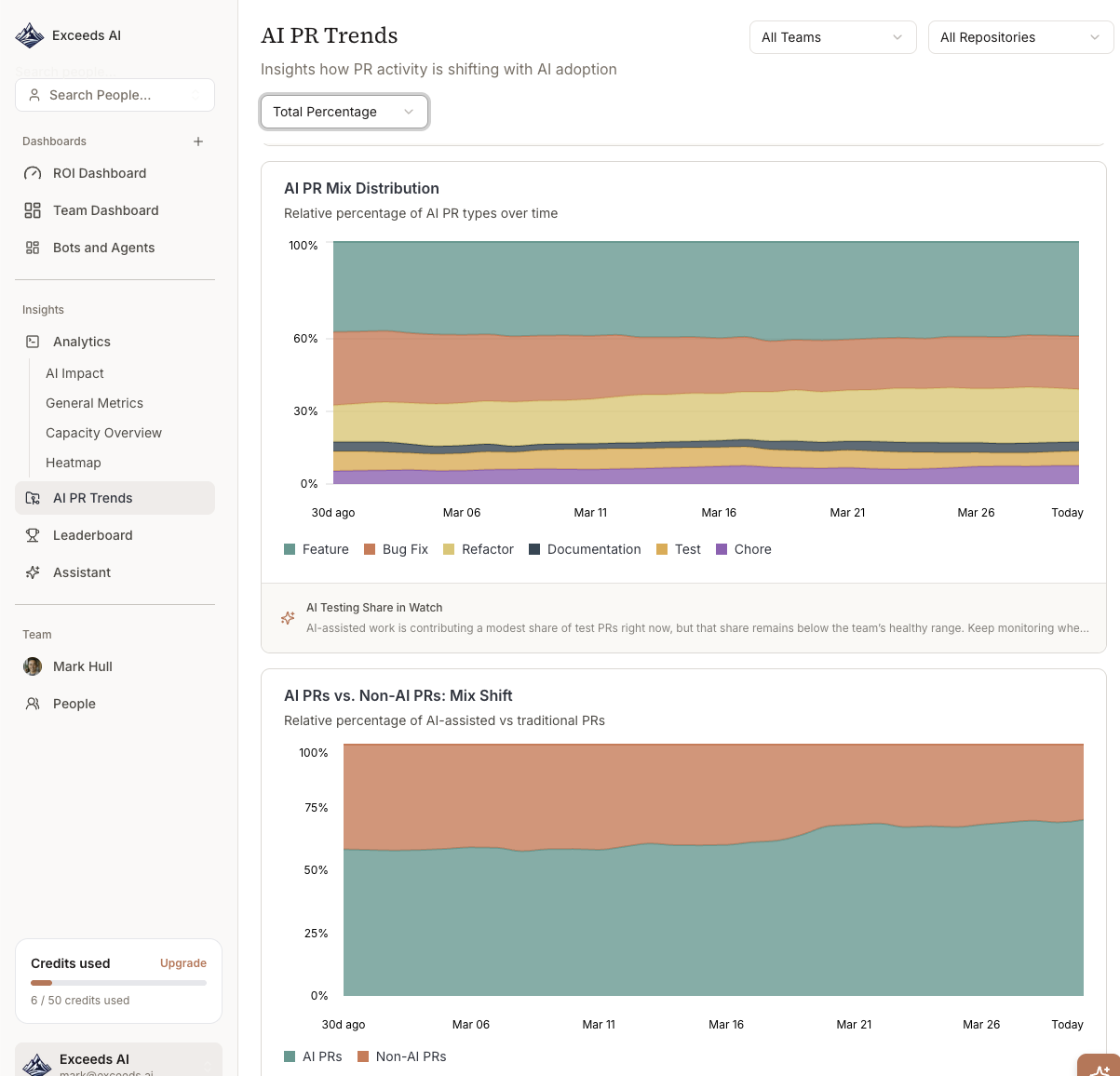
The way we count AI-assisted pull requests got a real overhaul. There are new classification categories on the backend, three new PR types in the AI PR Trends view, and updated trend charts to match. The goal was to show how AI is changing the composition of your team's output, not just the volume. We think this gets closer.
Individual, team, and org views
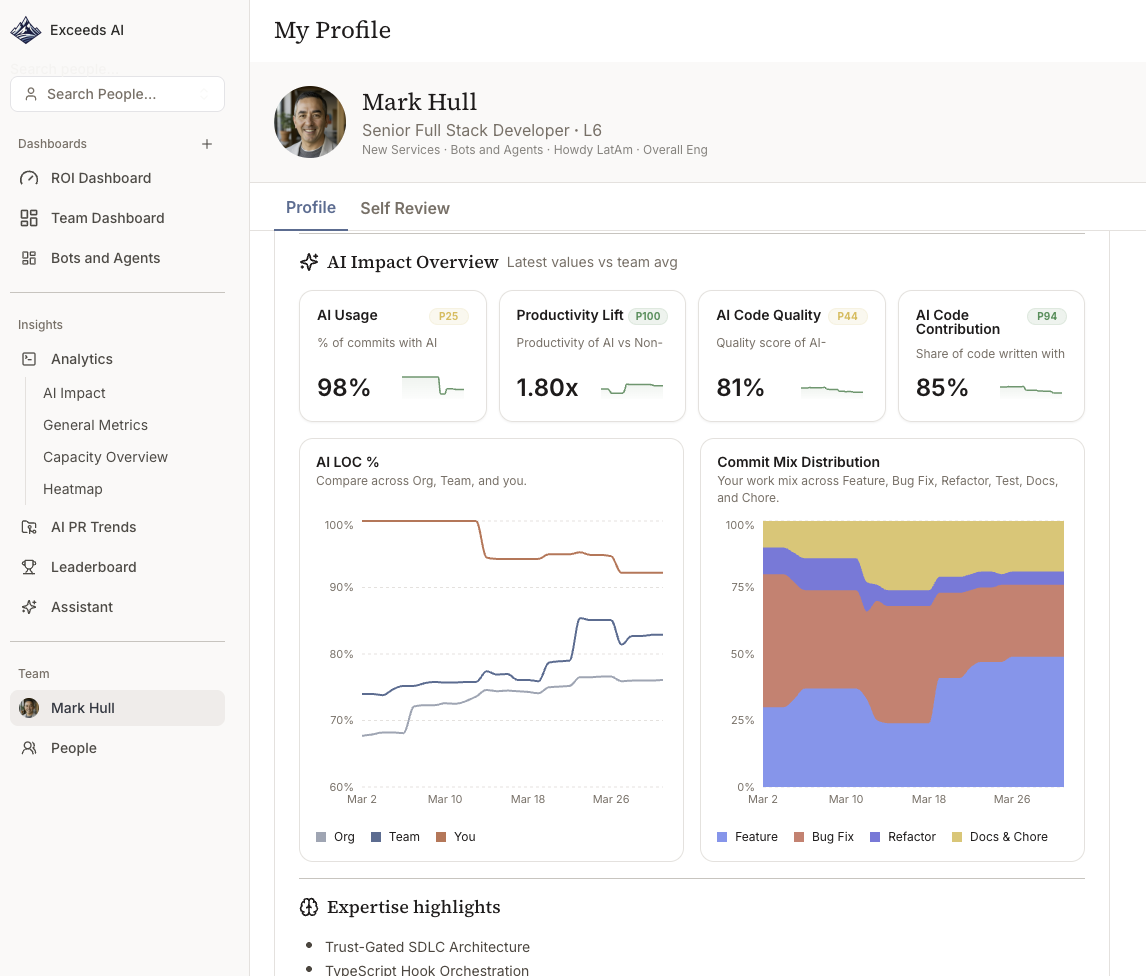
Metrics now work at all three levels: individual contributor, team, and org. Switching between them keeps your filters and date range intact. So you can go from the org summary down to a specific engineer without starting over. Managers doing 1:1 conversations told us this was a pain point, and it should be noticeably faster now.
Team Heatmaps
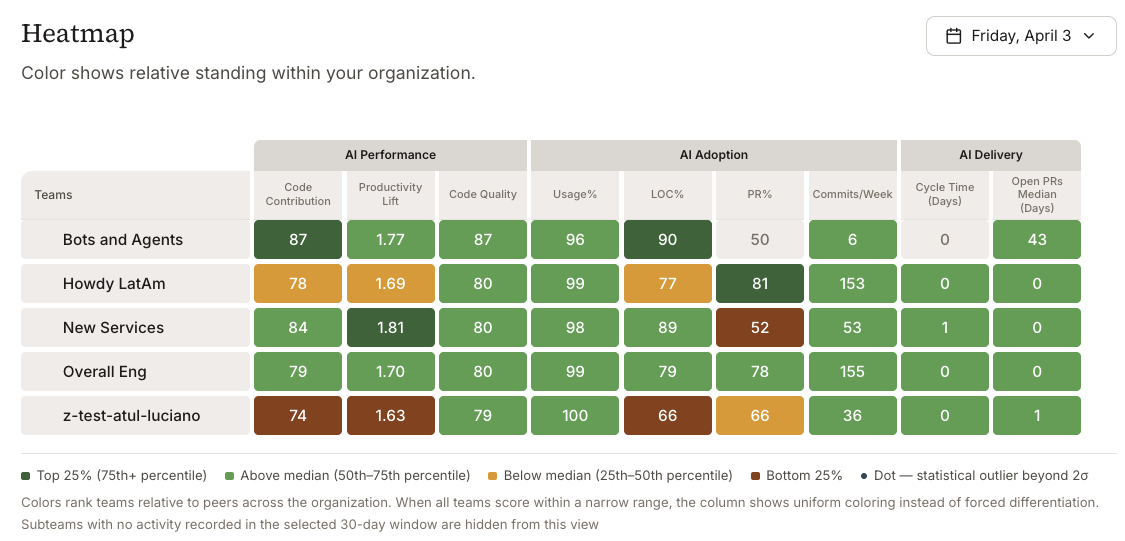
The heatmap dropped its fixed green/yellow/red thresholds. Color intensity now reflects where each team sits relative to the rest of the org, which is more useful when absolute numbers vary a lot between teams. You can easily dig into multi-layer teams for visibility, even if your organization has more than 10 layers! (eek!)
Cohort analysis
You can now slice metric distributions by percentile bucket, engineering track, or code category. The detail page has a split-by-track chart and a weekly breakdown table. This is mostly about separating signal from noise when you're trying to understand AI adoption across roles that write very different kinds of code. A frontend engineer and an infra engineer adopting Copilot look nothing alike in the raw numbers.
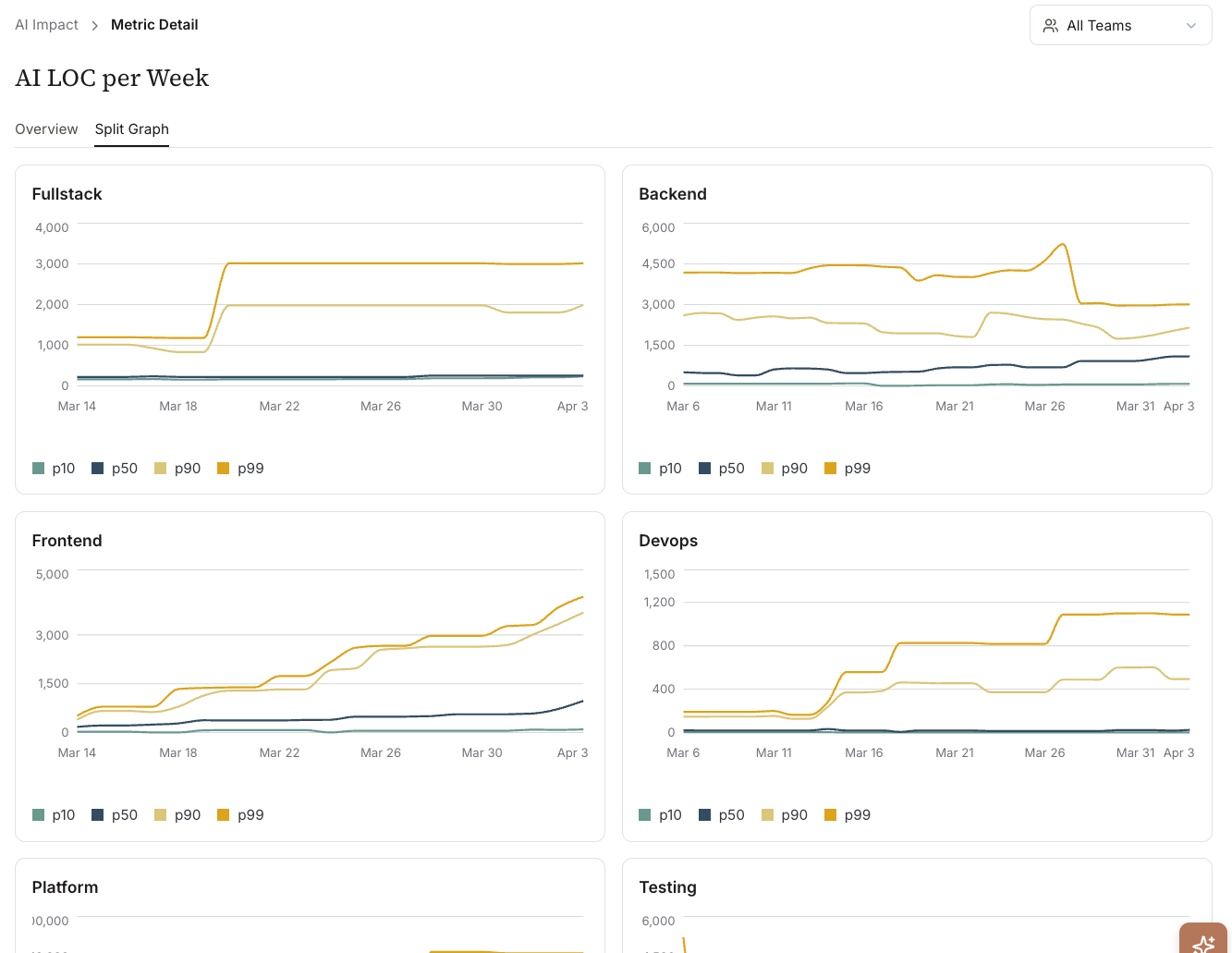
Commit mix distribution
New chart: a 100% stacked area showing how the composition of engineering work shifts as AI adoption grows. Is AI displacing boilerplate? Test writing? Refactors? Or is it expanding total output? You can see this over time now. It sits alongside the AI PR Trends adoption curves so the full picture is in one place.
ROI metrics (early access)
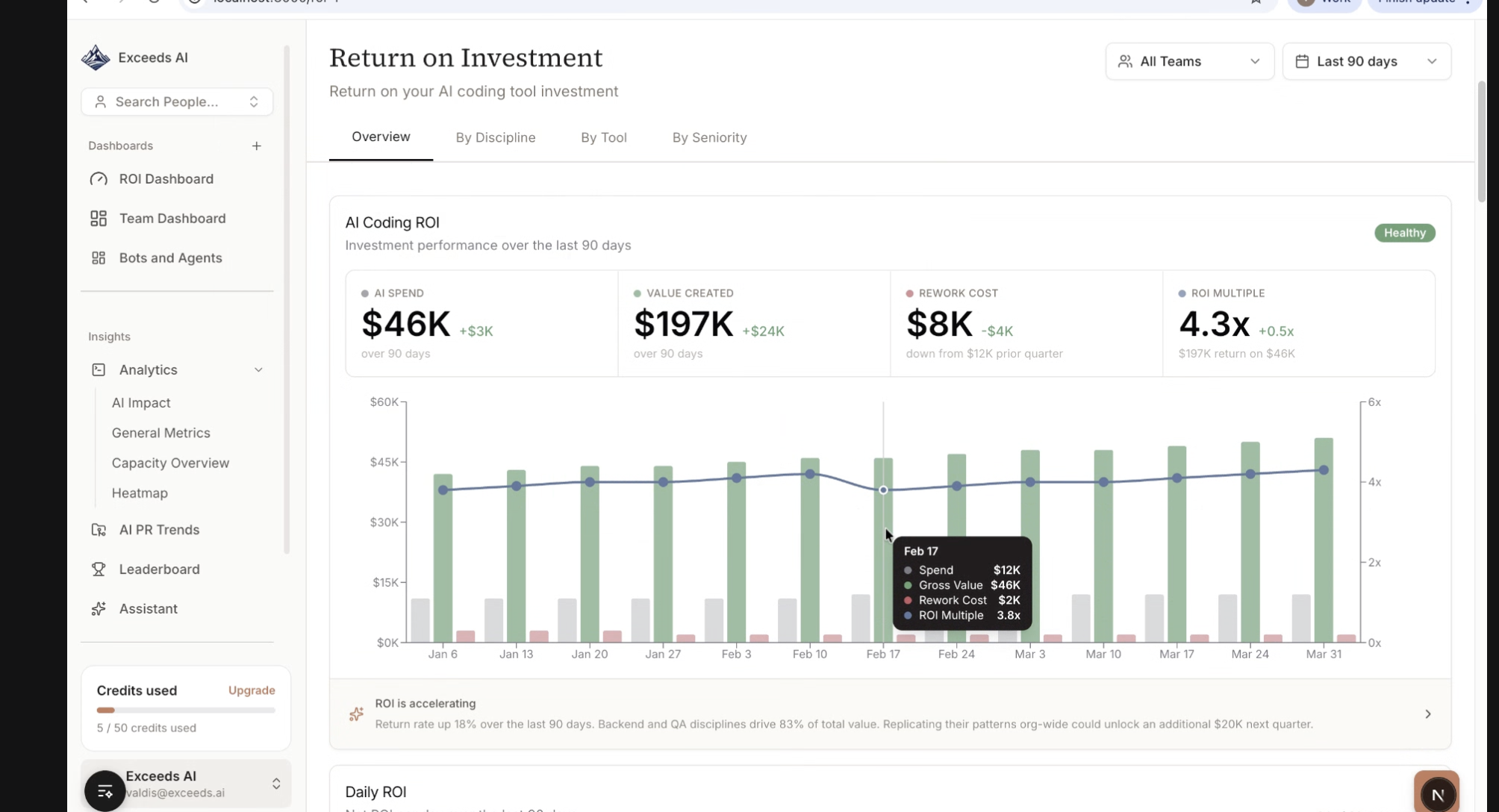
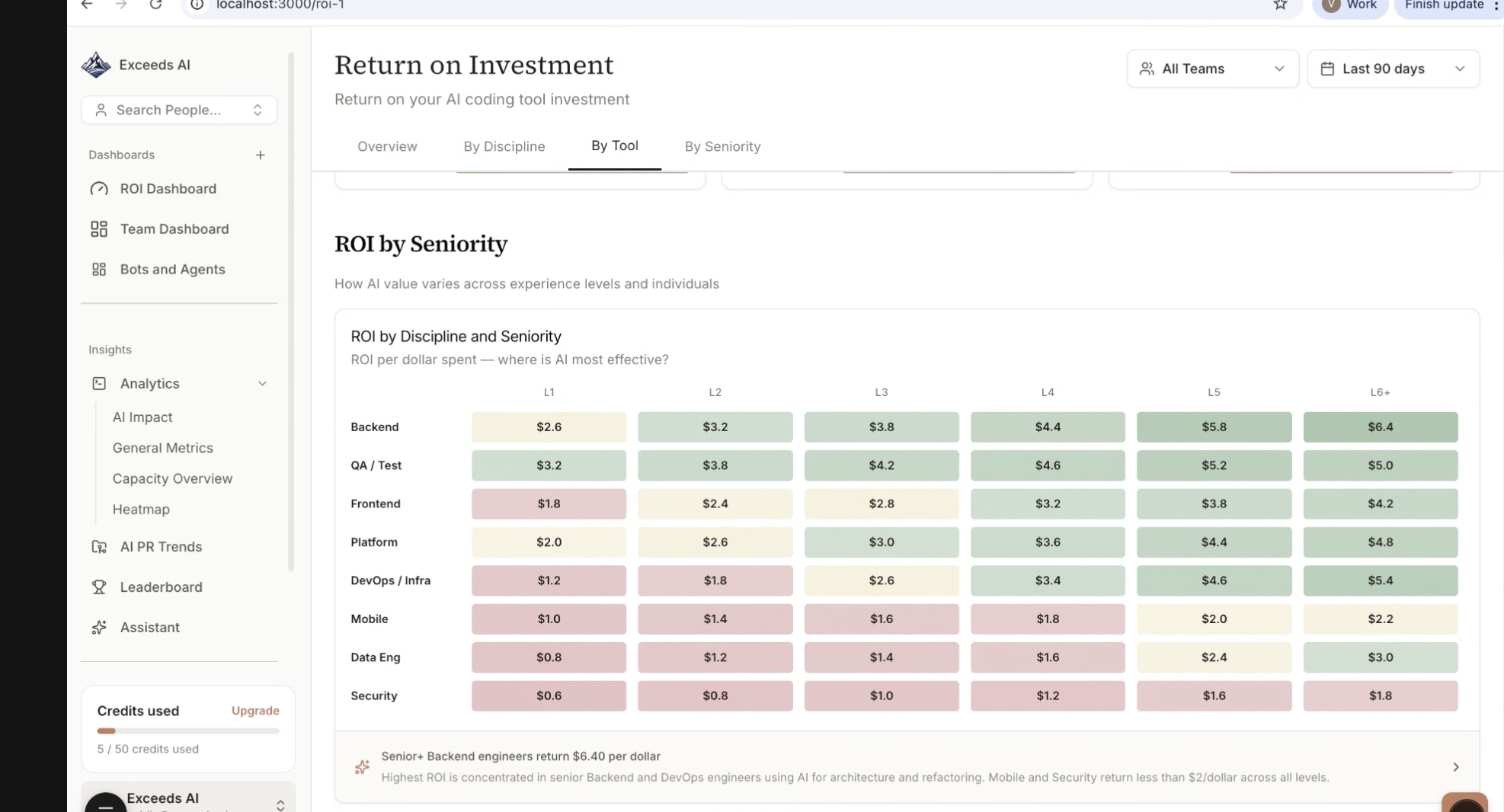
An early-access ROI summary connects developer time savings, output changes, and cost assumptions into one executive-facing view. Engineering and finance leaders asked for this. We're continuing to test here, and let us know if you have specific reports you'd like to see.
Data Observability Reports
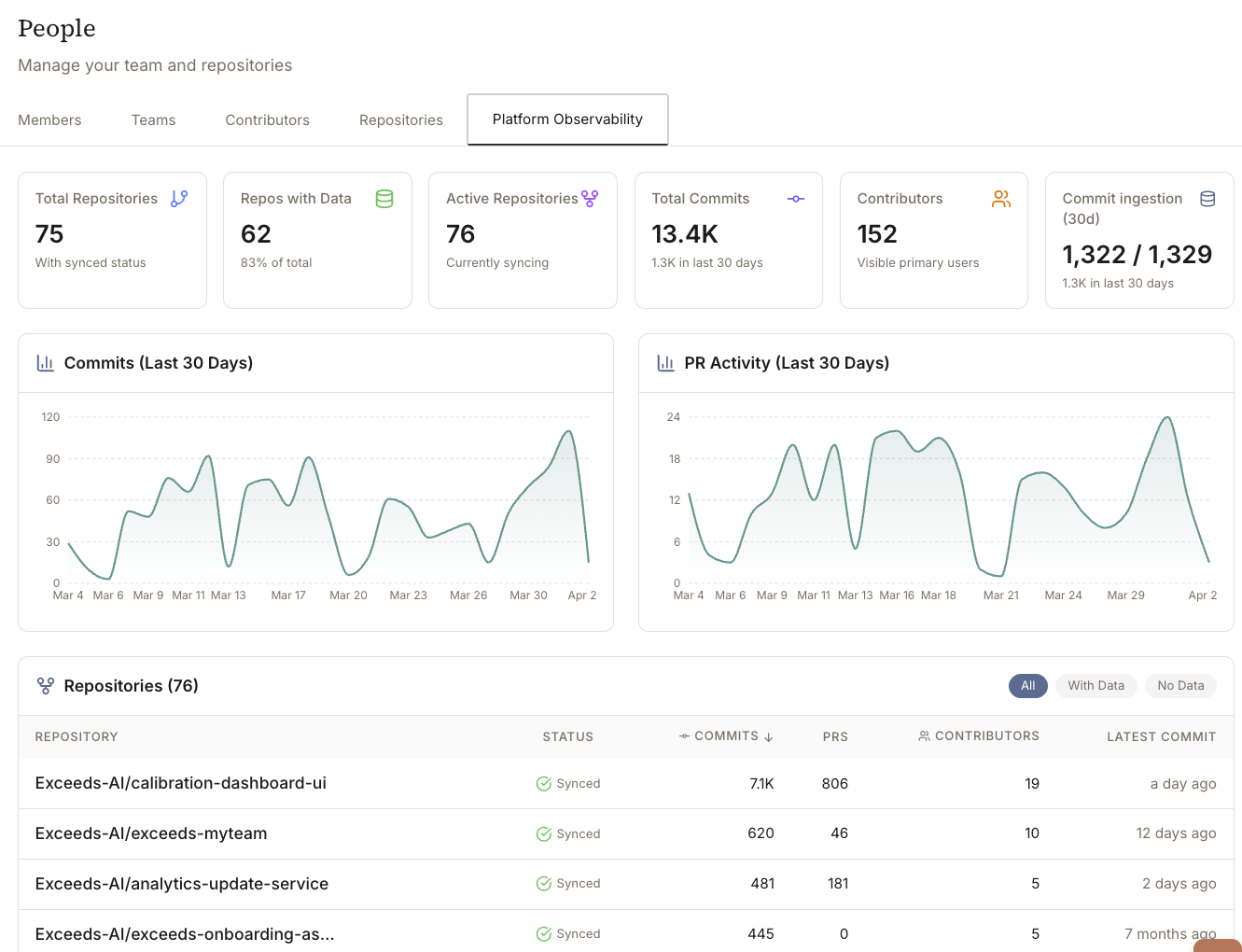
The Data Observability Report gives you a clear view for the data across your repos that's being analyzed, giving you greater confidence that the right repos are sync'd and current. Each metric has richer drill-down context, so the path from "this number looks off" to "here's exactly why" is shorter. If you've spent time clicking around trying to figure out what's behind a weird data point, this should help.
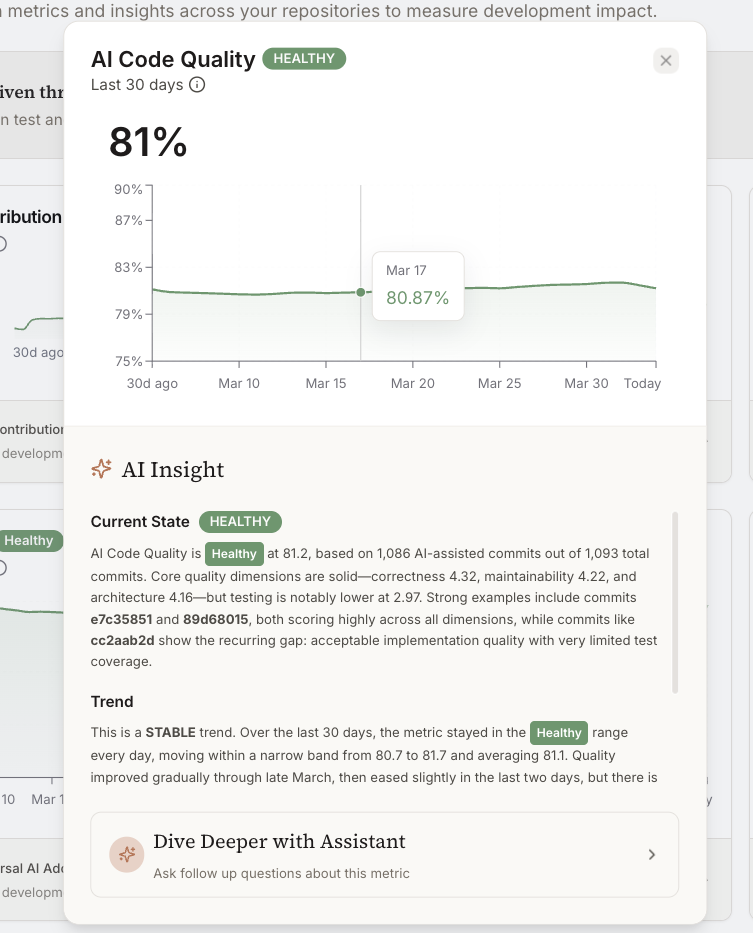
Code quality trends
Quality signals are tracked as time-series now instead of point-in-time snapshots. You can see whether quality indicators are moving up, down, or flat over a sprint, quarter, or custom range, and correlate that with AI adoption or team changes. We wanted this for a while internally too.
Data ingestion observability
New observability layer for your data pipeline, visible directly in the platform. Admins can monitor ingestion status, spot stale or missing data, and figure out whether gaps in reporting are a pipeline issue or a real change in engineering activity. Before this, diagnosing data freshness problems meant opening a support ticket. No longer.